MTN data is the single most bought digital product in Nigeria, and the most confusing to price. Two offers of “1.5GB” can differ by hundreds of naira, and the cheaper one is not always the better deal.
This is a practical guide to paying less for the data you actually use — and to understanding why some purchases fail and how to avoid that.
Why prices differ for the same data
Bundles are sold under different plan families: consumer bundles on the MTN menu, SME/agent bundles, and 30-day plans. The plan family sets the price, the validity and whether the bundle rolls over. A reseller’s “cheap MTN data” is usually an SME bundle: same network, slightly different rules.
No plan family is automatically better. The right question is what you need: how much data, for how long, and at what time of day.
What to compare before buying
- Volume vs price per GB. Work out the per-GB figure for each option. A bigger plan is often better value even when it costs more at checkout.
- Validity. A 7-day plan is cheap but useless if you need data for a month. Match validity to how you actually use the line.
- Night vs day bundles. Some cheap plans only work at night. Read the description, not just the headline.
- Rollover and bonus. Some plans roll unused data forward; most do not.
- Who delivers the bundle. A reseller places the order with the carrier. If the order fails, the refund depends on the reseller — not on MTN.
Doing the per-GB arithmetic
Take the price and divide by the gigabytes. If two plans cost 1,200 and 2,700 for 2GB and 5GB, the first is 600 per GB and the second is 540 per GB. The second is better value — unless you cannot use 5GB before it expires.
That last clause matters more than people expect. A plan that expires with half its data unused is the most expensive plan you bought, no matter what the per-GB price says.
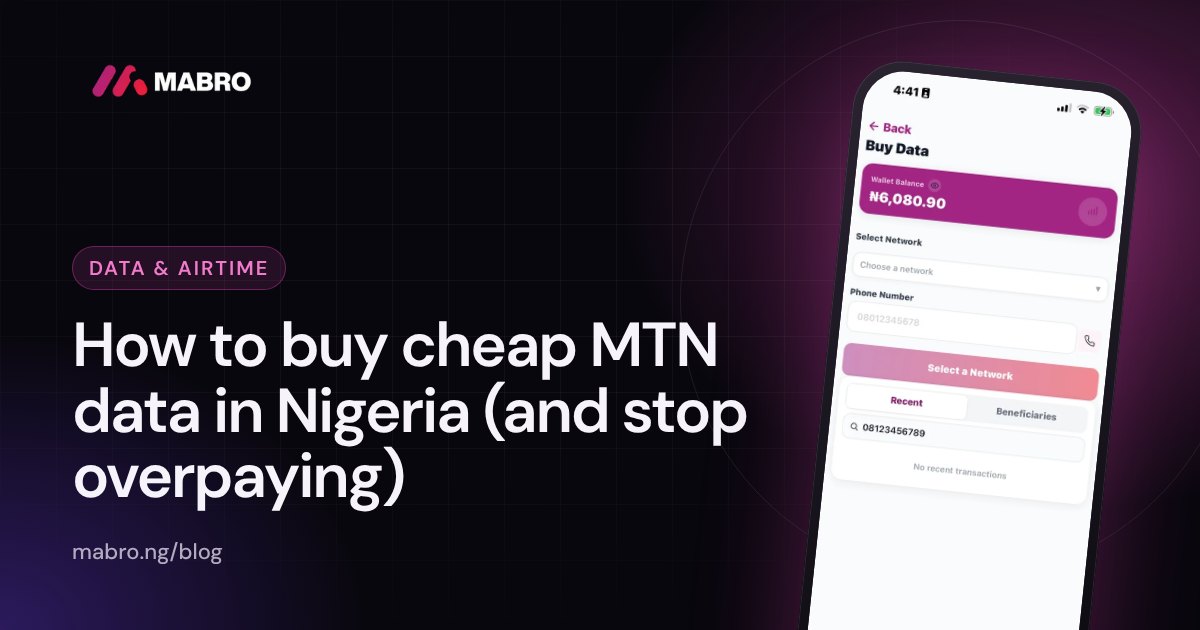
Buying MTN data on Mabro
- Open Data and choose MTN.
- Enter the phone number. Mabro validates that the prefix belongs to MTN before you pay, so a wrong number fails early instead of disappearing.
- Pick a plan. The price shown is what will leave your wallet — no surprise fee at confirmation.
- Confirm, then approve with your transaction PIN.
- You get a receipt with the reference. If the bundle is still pending, the purchase screen and transaction detail show that state and resolve on their own.
What happens after you pay
Three outcomes exist, and they are worth knowing so you do not panic:
- Success — the bundle is delivered and the receipt shows it. You can confirm with the carrier’s own balance check.
- Pending — the order reached the carrier but the answer is not in yet. Do not buy again while it is pending; you may end up paying twice.
- Failed — the carrier refused. The wallet is refunded, and the receipt shows the failure.
Common reasons an MTN data purchase fails
- Wrong network. An 0803 prefix is MTN; an 0805 can be Glo. Selecting MTN for a Glo number always fails.
- Insufficient balance. Check the wallet, not the carrier balance.
- Plan discontinued. Carriers withdraw plans without notice; refresh the plan list if the app says the plan is unavailable.
- Carrier downtime. A failure during a carrier outage is refunded, or left pending until the carrier answers.
- Duplicate purchase. A second identical order within a minute is usually blocked to protect you.
Tips to pay less every month
- Buy one larger bundle instead of repeated small ones.
- Pick a 30-day plan if the line is your main number.
- Use night bundles only for downloads you actually do at night.
- Check the plan list before topping up — carriers rotate promotional offers.
- Buy data for the month in one purchase rather than topping up weekly.
- Turn off background app refresh and automatic video playback to make a plan last longer.
Buying data for someone else
Enter their number when buying. The purchase appears in your transaction history, not theirs, and delivery goes to their line. This is common for family members and staff — just confirm the number and network before paying, because a delivered bundle cannot be recalled.
Checking whether the data arrived
Use the carrier’s own balance check (the network’s USSD code) rather than guessing from usage. If the balance has not moved and the receipt says success, wait a few minutes and check again; carrier delivery can lag behind the order.
The plan families, explained plainly
Consumer bundles are the plans on MTN’s own menu. They are the most visible and rarely the cheapest, but they are the simplest to buy and to understand.
SME and agent bundles are sold in bulk to agents and resellers, then passed on. They carry most of the “cheap data” offers you see, and the network is identical. The trade-offs are validity and support: if an order fails, you are dealing with a reseller, not the carrier.
30-day plans are the practical choice for a main line. They cost less per GB than weekly top-ups and remove the weekly cycle from your head.
Night bundles are cheap because they are restricted to a window. They are excellent value for scheduled downloads and poor value for everything else.
Matching a plan to how you actually use data
Look at your last month. If most of your usage is streaming and social video, you need volume, and a large 30-day bundle beats several small ones. If you mostly message and browse, a mid-size monthly plan is enough and a giant bundle wastes money. If you download overnight, a night bundle next to a small day plan is the cheapest combination.
Guessing leads to either running out or buying data you never touch. One month of observation saves money every month after it.
What a failed purchase costs you
Beyond the moment of annoyance, failed purchases matter because repeated attempts can be blocked as duplicates and because a pending order may already be charged to your wallet while the carrier decides. The rule: on pending, wait and check the transaction detail. Do not buy again until the first one resolves.
Delivery is not the same as payment
A receipt proves you paid. The bundle arriving is a separate event. If the receipt says success but the balance has not moved, give it a few minutes and check the carrier’s own balance code. If it still has not arrived, support can trace the order using the reference.
Buying data in bulk for a business
Shops and offices often buy for staff lines. Use a list, check each number’s network, and buy in a single session. If one number fails, the failure is isolated to that line and refunded; the rest still go through. Keep the receipts — they double as bookkeeping for airtime and data expenses.
Five habits that cut data costs
- Turn off autoplay on social apps.
- Download music and videos on Wi-Fi where available.
- Check per-GB price, not the headline size.
- Buy the monthly plan at the start of the month, not weekly.
- Check the plan list before topping up; promotional plans appear and disappear.
What to do when a plan vanishes from the list
Carriers retire plans without notice. If a plan you used last month is gone, refresh the list and choose the closest equivalent by per-GB value. Do not buy a plan the app no longer offers — the order will fail and refund, which costs you time.
Plan maths you can apply today
Price per GB is the honest comparator. Divide price by gigabytes, and separately compare price per day of validity. A plan at 450 per GB over 30 days beats one at 500 per GB over 7 days even if the second is cheaper at checkout. The catch, as always, is usage: the cheaper per-GB plan only wins if you consume it.
For monthly buyers, one large plan is usually the cheapest. For occasional users, a smaller plan matched to actual usage beats a large one that expires half-used.
How bundles expire
Most MTN plans expire at the end of the stated validity, whether or not you used the data. Some plans roll over; most do not. If you are close to expiry with data remaining, check whether the plan rolls over before buying another — otherwise you are paying twice for the same gigabytes.
The three purchase states, and what each means for you
| State | What it means | What to do |
|---|---|---|
| Success | Bundled delivered | Verify with the carrier balance code; keep the receipt |
| Pending | Order sent, answer not back | Wait; do not repurchase |
| Failed | Carrier refused | Wallet refunded; check the reason and retry once |
Buying for family and staff
Keep a short list of numbers and networks rather than relying on memory. Buy each line in one session, and read the confirmation name back before approving. A bundle delivered to the wrong number cannot be recalled, and the network check only catches a mismatched network — not a wrong person on the same network.
What changes the plan list
Carriers rotate promotional plans, retire old ones and change validity. That is why a plan you bought last month may be missing today, and why checking the list before topping up is worth it. The app only sells what the carrier is currently offering, so a missing plan is not an app fault.
Simple habits that stretch a bundle
- Use Wi-Fi for large downloads and updates.
- Limit video to lower resolution when on mobile data.
- Turn off auto-play in social apps.
- Check which apps use the most data once a month.
- Buy at the start of the month if the plan lasts 30 days.
If a purchase is stuck pending for hours
Pending means the carrier has not answered. It can resolve on its own; it is not a reason to buy again, which is the most common way people end up with two charges. Check the transaction detail, and if it has been pending unusually long, contact support with the reference.
Choosing the right plan for how you actually live
Students and heavy social users usually do best with a large 30-day bundle. Streaming is the biggest consumer, and a 30-day plan removes the weekly top-up cycle that quietly costs more per GB.
Light users — messaging, occasional browsing, some email — do better with a mid-size plan that matches their usage. A giant bundle for a light user is not a bargain; it is an expiry date waiting to happen.
Night downloaders can combine a small day plan with a night bundle. The night bundle carries the heavy downloads; the day plan covers calls and messaging.
Family and staff lines work best when bought together at the start of the month. A single session with a checked list avoids the “I thought that one was MTN” mistake, and the receipts become your record of spending.
Whatever the profile, the test is the same: per-GB price, validity, and whether that volume will actually be used before it expires. A plan that looks cheap on the banner and expires half-used is the most expensive option in the list.
When data finishes before the plan’s expiry
Two things cause this, and they need different fixes. The first is genuine heavy usage — video, hotspot, or a background app. Check the carrier’s usage menu or your phone’s data tracker to see what consumed it. The second is a plan that was never meant for regular use, such as a night bundle being used during the day, or a small plan bought for a line that turns out to be used by several people.
Fix the cause, not the symptom. If the line is shared, buy a larger 30-day plan and make the shared use explicit. If an app is the culprit, restrict background data for it. Repeatedly topping up while the same usage continues is the most expensive way to solve either problem.
Also check whether the plan rolls over. If it does not, leftover data at expiry is simply lost — which is why matching the plan to the month’s real usage beats buying the cheapest per-GB plan that expires half-used.
Common terms, shortly
SME bundle — a reseller-priced plan on the same network.
Validity — how long the data lasts from activation.
Rollover — unused data carrying into the next plan; not universal.
Night bundle — a plan usable only in an overnight window.
Per-GB price — the price divided by gigabytes; the honest comparator.
None of these terms changes the buying steps — but each explains a disappointment the first time you meet it, which is cheaper than learning them by losing a bundle.
When prices change mid-month
Carriers change plan pricing and promotions without much notice. A plan that was ₦1,000 per GB last month may be replaced by one that is ₦1,100, or by a bundle at the same price with a shorter validity. When that happens, re-run the per-GB comparison against the nearby plans rather than buying out of habit.
If a promotional plan disappears mid-month and your usual plan is gone, buying the nearest equivalent once is usually better than switching networks or buying several smaller plans. A single stable plan keeps your monthly spend predictable, which matters more than the last few naira per GB.
Also re-check the plan family you are buying from. A consumer bundle that was competitive can lose to an SME-priced plan after a carrier adjusts prices. The app lists what is currently available with current prices, so a refresh before buying is the cheapest habit available.
Finally, if you buy for several lines, re-price the whole basket at the same time. Individual plan changes can make a previously cheap combination more expensive than a straightforward monthly bundle for each line.
Related: How to check your data balance on MTN, Airtel and Glo.
Frequently asked questions
Is SME data the same as normal MTN data?
It runs on the same network and the same SIM. The differences are price, validity and the reseller’s terms. Read the plan description before buying.
Can I buy data for someone else?
Yes — enter their number when buying. The purchase shows in your transaction history, not theirs.
What if the data does not arrive?
Most deliveries are immediate. If the purchase is still pending after a few minutes, check the transaction detail; a failure is refunded automatically.
Can I buy data with airtime?
On some lines, yes — via the carrier’s own menu. On Mabro, purchases are paid from your wallet, which is usually cheaper because you are pricing the bundle directly.
Why is a plan I bought yesterday missing?
Plans are withdrawn and replaced by carriers without notice. Refresh the list; the app will not sell a plan the carrier no longer offers.
Do night bundles work during the day?
No. Night bundles apply only in their stated window. Buying one for daytime use wastes money.
Can I transfer data to another line?
MTN offers its own data gifting on some plans; it is not the same as buying a bundle for someone. Check the carrier’s menu for what your plan allows.
What if I enter the wrong number?
There is no recall. The bundle goes to the number entered. Double-check before approving — the app’s network check catches the wrong network, not a wrong person.
Is buying an unlimited plan cheaper?
Only if you actually use that much. For most lines a large fixed bundle is cheaper than an unlimited plan priced for heavy users.
Why did the purchase fail with no reason?
Carrier failures can arrive without detail. The receipt records the failure and the wallet is refunded; if it is marked pending, wait for the carrier’s answer instead of buying again.
Can I buy data while roaming?
Roaming has its own bundles and rules; normal domestic plans generally do not apply abroad. Check the carrier’s roaming menu before buying.
Why does the same plan cost different amounts on different apps?
Resellers price the same underlying plan differently. Compare the final price for the exact plan and validity, not the headline on a banner.
Can I get a refund for a bundle I will not use?
Once delivered, a bundle is on the line and cannot be recalled. Refunds apply to failed or pending purchases that never delivered.
Do promotional plans come back?
Sometimes. Carriers rotate offers, so a retired plan can reappear. Refresh the list rather than buying a different plan at a worse rate immediately.
What if the bundle delivered to the wrong number?
The network check catches the wrong carrier, not the wrong person. Delivery is final; double-check the number before approving.
Do promo plans have hidden conditions?
Some are night-only, some exclude tethering, some expire faster. The plan description states the conditions; the headline price does not.
Can I buy a plan and activate it later?
Most bundles activate on delivery. If you need it later, buy it later — a bundle sitting unused still expires on its own clock.
Why is my balance check different from what I bought?
Bonus data may show separately, and some plans measure in different units. Compare the plan’s stated volume with the carrier’s message before assuming a loss.
Can I buy for a line that is not active yet?
Generally no. An inactive line cannot receive a bundle, and the order will fail and refund.
What if I bought the wrong plan?
Once delivered, a plan cannot be swapped. Check volume, validity and network before approving.
Should I buy data before or after airtime?
They are separate balances. If the line needs both, buy the data plan first and keep a small airtime balance for calls; the data plan does not require airtime to activate.
What is the cheapest way to keep a second line online?
A small monthly bundle is usually cheaper than repeated day passes, even if the day pass looks cheaper up front. Match the plan to the line’s real usage and avoid topping up a line that only receives calls.
Can I buy a 30-day plan for a line that is shared?
Yes, but agree the usage first. A shared line can finish a large plan quickly, and buying another plan mid-month usually costs more per GB than the first.