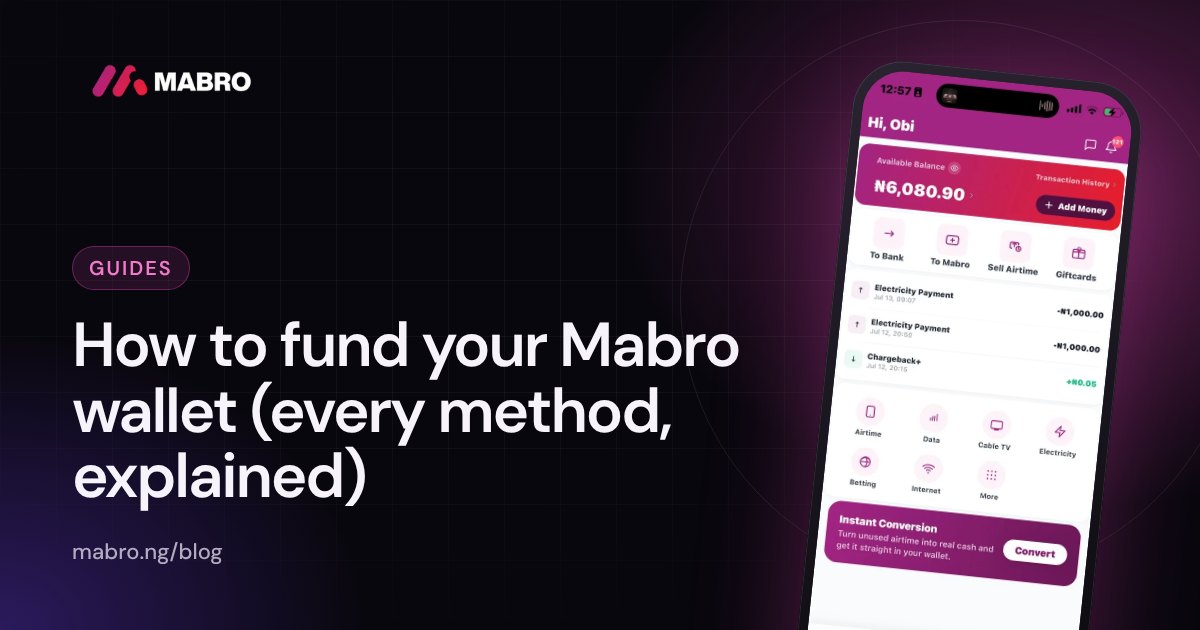
The process to fund your Mabro wallet should take less time than deciding what to spend the money on. Yet funding is also where most support questions begin: a transfer that left one bank but never reached the wallet, a virtual account that is not showing, a limit that stopped a payment halfway, or a message from someone offering a faster route that turns out to be a scam.
This guide covers every legitimate way to fund your Mabro wallet, the checks to make before and after each transfer, what to do when funding fails and how to keep your money safe. It is written for the Nigerian banking reality: transfers do not always move at the same speed, names must match, and a screenshot is not proof of payment.
What it means to fund your Mabro wallet
Your Mabro wallet is the balance inside the app that you use to pay for airtime, data, cable TV, electricity, betting wallet funding, internet, education PINs and gift cards. It also receives money when you sell crypto, sell a gift card or complete an airtime-to-cash transaction. Funding means moving money into that balance from outside, or receiving value that Mabro credits to it.
There is an important difference between funding and paying for a service. When you buy airtime, the money leaves your wallet. When you fund, the money enters it. Keeping those two movements separate makes your transaction history much easier to read, especially when you are trying to trace a missing payment.
Every funding route has the same three requirements: the money must come from a source you control, the name on that source should match your verified identity, and the amount must fit the limits attached to your KYC tier. If one of those fails, the funding can be delayed or returned even when you did nothing dishonest.
The ways money can enter your Mabro wallet
Most people will use one of two routes: a bank transfer to their dedicated virtual account, or a transfer from another Mabro user. The other routes credit the wallet as the result of a sale or a completed transaction. The app shows which routes are available to your account; if a route is missing, it is usually a tier issue rather than an app error.
| Route | Best for | What to expect |
|---|---|---|
| Bank transfer to your virtual account | Regular top-ups from your own bank account | Available from Tier 1; usually the fastest domestic route |
| Wallet-to-wallet transfer | Sending money from one Mabro user to another | Instant once the sender confirms, subject to account status |
| Crypto sale | Turning USDT or another supported asset into naira | Wallet credit after the sale is confirmed |
| Gift card sale | Converting an approved gift card | Wallet credit after the card is approved |
| Airtime-to-cash | Converting eligible airtime | Wallet credit when the transaction completes, subject to tier |
Do not treat the table as a list of shortcuts. Each route has its own verification, timing and limits, and the safest option is the one that leaves a clear record in your name.
Before you fund your Mabro wallet: five checks
Most failed funding is avoidable. Run through these five checks before you send money, every time.
- Check the account name. Your virtual account should carry your own name as it appears on your verified identity. If the name looks wrong, stop and contact support before sending anything.
- Check your tier. Tier 0 accounts can buy airtime and data but cannot use a virtual account. A virtual account appears after Tier 1 verification. Your current tier is shown in the app.
- Check the limits. Each tier has a per-transaction and daily limit. If the amount you plan to send is above your remaining room, split it only if the app allows that, or upgrade first. Do not send a large transfer hoping it will clear.
- Check the account details inside the app. Copy the number from the app. Do not use a number from an old chat, a screenshot or a message that claims the account has changed.
- Check the source of the money. Use a bank account in your own name. A transfer from a friend, a customer or a stranger can be reversed or questioned, and it makes a clean funding record much harder to defend.
If all five checks pass, you can fund with confidence. If one fails, fix that first. A five-minute delay is cheaper than a week of investigation.
Bank transfer to your virtual account
A virtual account is a bank account number created for you inside Mabro. It is a real Nigerian bank account, but it is tied to your Mabro profile. When you transfer to it, the bank credits Mabro’s collection account with your reference, and Mabro credits your wallet. You do not need to add a special narration for the money to arrive, but the transfer must go to the exact account shown in the app.
Finding your virtual account
- Open the Mabro app and go to your wallet.
- Select the option to add money or view your account details.
- Copy the account number and the bank name exactly as shown.
- Check that the name on the account is yours before you leave the screen.
If no virtual account is shown, your tier is the likely reason. Complete the required verification, then check again. Never accept a virtual account from someone who sends it to you privately; only the account displayed inside your own app is yours.
Making the transfer
- Open your bank app or the USSD menu you normally use.
- Select transfer to another bank, then enter the bank and account number shown in Mabro.
- Confirm the account name displayed by your bank matches the name in the Mabro app.
- Enter the amount, check it once more, and complete the transfer with your bank PIN or token.
- Save the bank reference or screenshot the successful transfer confirmation.
- Return to Mabro and check your wallet balance and transaction history.
Do not send a test transfer and a main transfer at the same time if you are unsure. Start with a small amount, confirm that it lands, then send the rest if you need to. That habit catches a wrong account number before it becomes an expensive mistake.
What to check after the transfer
- The wallet balance has increased by the amount you sent.
- A funding record appears in your transaction history with the correct amount.
- The bank reference on your bank receipt matches the record, where the app shows one.
- No unexpected deduction was applied. If the amount is different, read the transaction detail before assuming the worst.
Wallet-to-wallet transfer
A wallet-to-wallet transfer moves money from one Mabro wallet to another. It is useful when someone is paying you for a service, settling a shared bill or sending money to a family member who also uses the app. The money does not pass through a commercial bank, so it can move faster than a normal bank transfer, but it still needs the right recipient details.
How to send a wallet-to-wallet transfer
- Confirm the recipient’s Mabro identifier using the detail the app asks for.
- Check the name the app displays before you enter an amount.
- Enter the amount and confirm that it fits your available balance and tier limits.
- Read the confirmation screen carefully, then approve the transfer.
- Save the transaction reference and tell the recipient to check their wallet.
The name check is not a formality. A wrong digit in a phone number or identifier can send money to a different person, and a completed wallet transfer is not something you can casually undo. If the name shown does not match the person you intend to pay, stop.
When wallet-to-wallet makes sense
It is a good fit for small, local payments between people who already use Mabro, and for keeping money inside the app when the recipient wants to spend it on bills rather than withdraw it. It is a poor fit for paying a stranger who pressure you to send first, or for anyone who refuses to let you confirm their name in the app.
What can go wrong
The most common problems are a wrong recipient, a mistyped amount, a recipient whose account cannot receive transfers, or a sender who pays from a balance that is already committed to another transaction. Check the confirmation screen and your available balance before approving. If a transfer is pending, do not send a second one to speed it up; that is how duplicate payments happen.
Other routes that credit your wallet
Mabro also credits your wallet when you sell something through the app. Selling supported crypto, such as USDT, BTC, ETH, LTC, USDC, BNB, SOL or TRX, credits its value to your Mabro crypto wallet in US dollars once the deposit is confirmed. When you swap to naira, the naira is credited to your wallet instantly. You can read how crypto to naira payouts work before you start. Selling an approved gift card does the same once the card has been verified. A completed airtime-to-cash transaction can also credit your wallet, subject to your tier and the eligibility rules shown in the app.
These are conversions of value you already hold, not a substitute for a bank transfer when you simply want to top up. Read the rate and final naira amount before you confirm.
Tier limits on funding
Your KYC tier decides how much you can move and which funding routes are open to you. The limits below are the Mabro tier limits; the app shows the exact remaining room on your account at the time you transact.
| Tier | What you need | Per transaction | Daily | Notable access |
|---|---|---|---|---|
| Tier 0 | Phone number and email | No virtual account | No virtual account | Airtime and data only |
| Tier 1 | BVN verification | Up to ₦50,000 | Up to ₦200,000 | Virtual account for funding |
| Tier 2 | NIN plus in-app liveness check | Up to ₦500,000 | Up to ₦5,000,000 | Bank transfers and airtime to cash |
| Tier 3 | Address verification and manual review | Unlimited | Unlimited | Full access, subject to review |
What the limits mean in practice
A limit is not a suggestion. If your Tier 1 account has a ₦50,000 per-transaction limit, a ₦70,000 transfer will not become successful because you sent it from a bank that displays a success message. The bank transfer may leave your bank, but the wallet credit can be held or returned while the limit is resolved. Check the amount against your tier before you send, not after.
Daily limits reset on the schedule shown in the app. Do not assume that a new calendar day begins at midnight in the same time zone as your bank. If you are close to a limit and the timing matters, check the app’s limit display rather than guessing.
What happens when you hit a limit
The app should stop the transaction or show a clear limit message. Read it before trying again. Sending several smaller transfers to get around a per-transaction limit can still breach the daily limit, and deliberately structuring payments to avoid checks is the kind of pattern that gets an account reviewed. If you need a higher limit for a legitimate reason, upgrade your tier through the verification flow.
How long funding should take
Wallet-to-wallet transfers are typically immediate once both accounts are in good standing. Bank transfers to a virtual account usually credit quickly, but the exact timing depends on your bank, the payment rail and the time of day. Gift card sales take as long as their review step, and then the wallet credit follows. Crypto deposits are credited in US dollars once confirmed, and swapping to naira is instant whenever you choose. Airtime-to-cash follows the completion of the underlying transaction.
Weekends and public holidays matter. Banks and payment rails can settle more slowly outside normal banking hours, even when the app is available around the clock. A transfer that is pending on a Friday evening is not necessarily a failed transfer. Check the status before you send a second one.
Failed funding troubleshooting
When funding does not work, resist the urge to repeat the payment immediately. Duplicate transfers are harder to unwind than a single delayed one. Work through the symptom first.
Money left your bank but the wallet was not credited
Confirm that the transfer actually succeeded on your bank side, not just that you tapped send. Check the bank reference, the amount and the receiving account number. Then check the Mabro transaction history and wallet balance again. If the bank shows a successful transfer to the correct virtual account and Mabro shows nothing after a reasonable wait, contact support with the bank reference, the amount, the time and a screenshot of the bank receipt.
The transfer was reversed
Banks reverse transfers for several reasons: a wrong account number, a name mismatch, a limit on the sending account, or a failed internal check. A reversal is not a Mabro decision, and it is not proof that your wallet is broken. Read the reversal message from your bank, correct the cause, and try again only after you understand it. If the money is returned minus a bank charge, that charge comes from the bank, not from Mabro.
The account name does not match
Stop. Do not send money to an account whose name does not match your verified identity. A mismatch can lead to the transfer being held or returned, and it can create a compliance problem for your account. If the virtual account name looks wrong, contact support and ask for the correct details before sending anything. Never accept a replacement account number from a third party who claims to be helping.
Your virtual account is not showing
Check your tier and verification status first. Tier 0 accounts do not have a virtual account. If you have completed Tier 1 and the account still does not appear, refresh the app, check for an update, and contact support. Do not use a virtual account belonging to a friend or an agent. Money sent to someone else’s account is not automatically yours when it lands.
You have reached a limit
Read the limit message and compare it with the tier table. You may be above the per-transaction limit, the daily limit, or a limit attached to a particular route. Wait for the daily reset, reduce the amount, or complete the next verification tier. Do not split a payment into suspiciously small pieces to evade a limit.
The app shows a pending deposit
A pending deposit is a record, not a loss. Note the reference and the time, then wait for the status to change. If it remains pending beyond the app’s stated window, contact support with the reference. Do not send the same amount again until support confirms that the first deposit has failed.
Scam warnings
Funding is a favourite target for fraudsters because it involves urgency, account numbers and people who are anxious to complete a payment.
- Fake support agents. Someone calls or messages claiming to be from Mabro and asks for your password, PIN, OTP or a transfer to a “resolution account”. Mabro will not ask for those details to fix a deposit.
- Discounted funding. An agent offers to fund your wallet at a lower rate than the app charges. The first small amount may work to build trust; the larger amount disappears.
- Changed account details. A message says your virtual account has changed and gives a new number. Only the account inside your own app is valid.
- Phishing links. A link opens a page that looks like Mabro and asks you to log in. Open the app directly instead of following links from chats or SMS.
- Overpayment tricks. Someone sends more than agreed, asks you to refund the difference to a second account, then reverses the original payment.
- Unlock fees. A “support agent” says your wallet is blocked and needs a payment to unlock it. There is no legitimate unlock fee.
The common thread is pressure. A real funding process does not need you to hurry, keep a secret or pay someone outside the app. If any of those appear, stop and verify through official support inside the app.
Keeping records
Keep the bank reference, the amount, the date, the time and the receiving account for every funding transfer. For wallet-to-wallet transfers, keep the in-app reference. For crypto or gift card sales, keep the transaction detail that shows the rate and the naira credited.
Frequently asked questions
Do I need a virtual account to fund my Mabro wallet?
For a bank transfer, yes. A virtual account appears after Tier 1 verification. Tier 0 accounts can use airtime and data but cannot receive a bank transfer into a virtual account.
Can I fund my wallet with another person’s bank account?
You should not. Funding from an account that is not in your name can trigger a review and makes the source of funds harder to defend. Use an account you control.
Why is my virtual account not showing?
The most common reason is that you have not completed Tier 1. If you have, refresh the app and check your verification status before contacting support.
How long does a bank transfer take to reflect?
It usually reflects quickly, but the exact time depends on your bank and the payment rail. Weekend and holiday transfers can take longer. Check the transaction status before sending again.
Can I cancel a funding transfer?
A bank transfer cannot be cancelled from Mabro once it has left your bank. A wallet-to-wallet transfer also cannot be casually reversed. Confirm the details before you approve.
What is the minimum funding amount?
The minimum is shown in the app for your account and route. It can differ between bank transfers, wallet transfers and sale proceeds.
Why was my funding reversed?
Banks reverse transfers for reasons such as a wrong account number, a name mismatch or a sending-account restriction. Read the bank message, correct the cause and try again after the funds are returned.
Can I fund my wallet at night?
The app is available, but bank settlement may be slower outside banking hours. A night transfer can show as pending until the next processing window.
Does wallet-to-wallet transfer cost a bank fee?
It does not use the bank transfer rail in the same way, but the app may show a fee or limit for the route. Check the confirmation screen before approving.
Can I fund a friend’s Mabro wallet?
You can send a wallet-to-wallet transfer if the app allows it and you have confirmed the recipient’s name. Keep the record. Do not use a third party’s virtual account on their behalf.
What should I do if I sent money to the wrong account?
Contact your bank immediately and contact Mabro support with the reference. Recovery depends on the receiving bank and how quickly the error is reported. Never pay an agent who promises to recover the money for a fee.
Can I use a POS agent to fund my wallet?
Use only the official funding routes shown in the app. A POS agent or social-media vendor is not an official Mabro channel, and a payment they claim to have made can leave you without a record.
What if my bank shows success but Mabro does not?
Save the bank reference and screenshot, wait for the stated processing window, then contact support. Do not send the same amount again until support confirms the first transfer failed.
Ready to top up? Open the Mabro app, copy your virtual account details and fund your wallet from the account in your own name.