Paying electricity online should take a minute. In practice it is the bill people get wrong most often — usually because of a mistyped meter number or the wrong distribution company.
This guide covers prepaid and postpaid, how to pay safely, what to do with the token, and how to untangle the failures that leave money in limbo.
Prepaid vs postpaid
- Prepaid — you buy units in advance and receive a token (a long code) that you punch into the meter.
- Postpaid — you pay a bill for consumption already used. Payment is recorded against the account number, not a token.
Buying “prepaid” for a postpaid meter, or the reverse, is the most common failed payment. The form asks which one you have; answer it based on the meter, not the name on the bill.
If you are not sure, look at the meter itself: prepaid meters have a keypad and a display that updates with units. Postpaid connections are billed through an account.
Know your disco
Nigeria’s distribution companies cover defined areas. Paying a bill to the wrong one means your money lands on an unknown meter that belongs to someone else.
The common discos include Ikeja Electric, Eko Electricity Distribution, Abuja Electricity Distribution, Port Harcourt Electricity Distribution, Ibadan Electricity Distribution, Enugu Electricity Distribution, Benin Electricity Distribution, Kaduna Electric, Kano Electricity Distribution, Jos Electricity Distribution, and Yola Electricity Distribution. Your bill names yours; use that name, not a guess based on where you live.
Before you pay
- Get the meter/account number right. It is printed on the meter or bill. Read it aloud from the card — do not copy from an old screenshot.
- Choose the right disco. Ikeja Electric and Eko Electricity Distribution are not interchangeable.
- Check the minimum. Discos set a minimum purchase; below it the payment is refused.
- Confirm the account holder name. The app returns the name registered to the meter. If it is not yours, stop.
Paying on Mabro
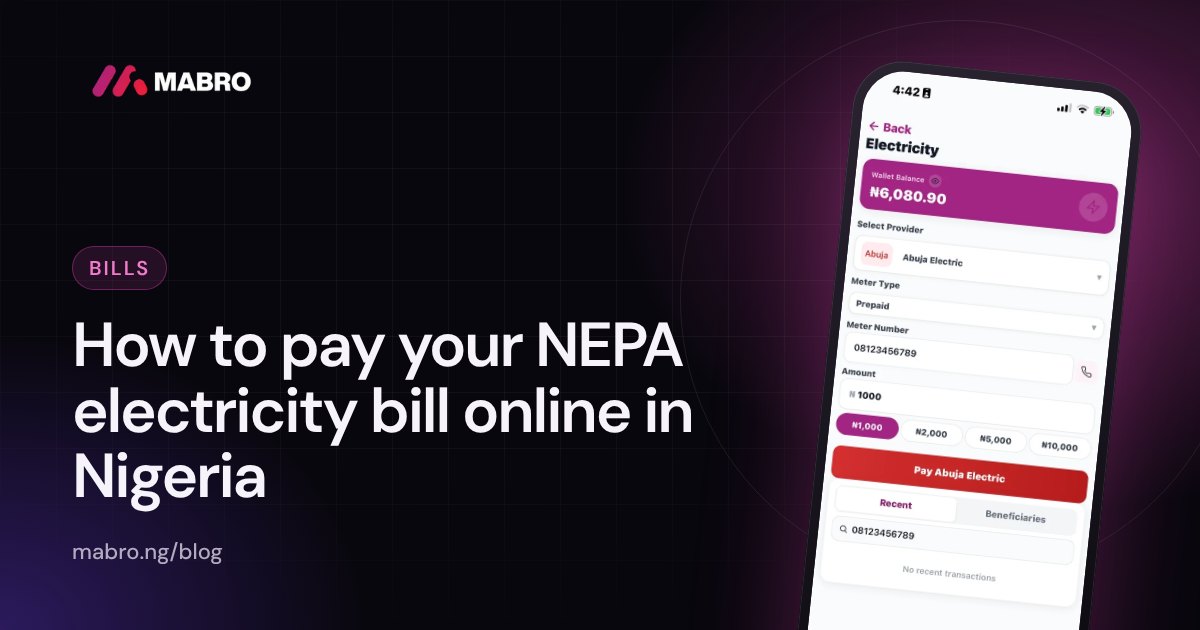
- Open Electricity and choose the disco.
- Select prepaid or postpaid.
- Enter the meter number and confirm the customer name the app returns. If the name is not yours, stop — the number is wrong.
- Enter the amount and approve with your PIN.
- For prepaid, the token appears on the receipt. Copy it somewhere safe before leaving the screen.
What the token is, and why you must keep it
The token is the value. If the app delivered it, the electricity has effectively been paid for, whether or not you have punched it into the meter. Keep the receipt — the token, the meter number and the reference. If the token fails at the meter, the receipt is what the disco needs to trace it.
Punch the token in as soon as you can. A token does not expire in a hurry, but carrying a screenshot of it for weeks is how people lose it. Write it down or save it to a note you can find.
Reading your meter helps you buy the right amount
Check the units left before topping up. Buying a small amount when the meter is nearly empty risks disconnection; buying too much can sit unused if the meter is replaced. A quick look at the balance prevents both.
Postpaid: what is different
A postpaid payment is applied to the account number, not converted into a token. You will not see units appear on a meter immediately; the bill reflects the payment after the disco processes it. Keep the receipt until the next bill shows the balance reduced.
If something goes wrong
- Token not shown but payment successful: check the transaction detail first, then support with the reference.
- Payment failed: a failed payment is refunded automatically; a pending one resolves once the disco answers.
- Token rejected by the meter: confirm the token was entered for the right meter. If it still fails, take the receipt and meter number to the disco.
- Money on someone else’s meter: the payment cannot be moved back from this side. Contact the disco with the receipt — they trace the meter, and in some cases reverse a misdirected payment to the correct account.
Why payments fail at the disco
Beyond typos, discos reject payments when their systems are down, when the meter is flagged for an issue, when the amount is below the minimum, or when the meter has been reassigned. Most of those are temporary; the receipt and the reference are what you need to pursue a delayed case.
Keeping records
- Save the receipt with the token for every prepaid purchase.
- Note the meter number in the same place — support will ask for it.
- Keep postpaid receipts until the next bill clears.
- If a payment is disputed, reference the transaction, not the date you remember.
Understanding units and tariffs
Prepaid meters display units, which are converted from naira according to the tariff band your property falls under. That is why two homes paying the same amount can receive different units: the tariff band, not the app, decides. If the units look lower than last month, check whether your band changed.
You do not need to calculate the tariff to buy units, but understanding it explains the gap between what you paid and what appeared on the meter.
Meter and account numbers
A prepaid meter number is usually printed on the meter face or the card issued with it. A postpaid account number comes from the disco and appears on every bill. Do not reuse a number from an old chat — numbers get reassigned when properties change hands.
If the app returns a customer name that is not yours, stop. That is the single most useful safeguard available to you, and it exists because misdirected electricity payments are common.
Entering the token safely
- Find the meter’s keypad and a clear line of sight to the display.
- Type the token exactly, including leading zeros. A missed zero gives a “token not accepted” error.
- Press the entry key (usually a labelled button) and wait for confirmation.
- Check the units appear before walking away.
- Keep the receipt screenshot until the units are visible.
Postpaid payments and balance
Postpaid accounts are billed for consumption. Paying reduces the outstanding balance; it does not create a token. Keep the receipt until the next bill confirms the payment was applied, because a postpaid payment that is not reflected becomes a dispute between you and the disco, and the receipt is your evidence.
What affects the amount you pay
The band, the meter type, the tariff changes published by the regulator, and the disco’s own charges. None of that is set by the payment platform. If a payment is rejected for being below the minimum, the disco set the minimum; the platform only relays it.
Business premises
Commercial meters often sit on a different tariff band and have different minimums. Enter the business meter number exactly as printed, and confirm the customer name matches the business. Buying for a shop and buying for a home are the same steps but different metres, and a mistake sends the units to the wrong account.
Disputes and traceability
Every payment has a reference. If the units never arrive, the reference plus the meter number is the whole case. Without them, the disco has to search by name and date, and that is where weeks disappear. Save the receipt the day you pay, not the day you notice a problem.
Seasonal and load considerations
Demand and supply conditions change what the meter delivers, but not what you are charged. If power is unstable, small frequent top-ups are sometimes more practical than one large purchase — though each purchase triggers the disco minimum, so the arithmetic depends on that minimum.
The disco decides almost everything
The distribution company sets the tariff band, the minimum purchase, the meter rules and the dispute process. The payment app only relays your instruction and the result. That is why the same ₦5,000 buys different units in different areas: the band is a property of the meter, not of the app.
If your payment is refused, the reason usually comes from the disco’s rules. Reading the receipt tells you which rule applied.
Prepaid meter mechanics, briefly
A prepaid meter keeps a credit balance. When you enter a valid token, the meter decodes it, verifies it against its own identity, and adds the units. A token issued for one meter will not work on another — the meter number is part of the token. That is why a token that fails is almost always entered on the wrong meter or typed incorrectly.
Common token errors and fixes
- Wrong meter count. Some tokens are long; missing a digit is common. Enter slowly, in blocks if the screen allows.
- Wrong meter. Confirm the meter number on the receipt matches the meter you are standing at.
- Meter not accepting. Power off and on the meter’s entry mode, or call the disco’s support with the receipt.
- Already used. If a token was entered successfully once, it will not work again. Check the meter’s last-credit record.
Postpaid: paying without a token
Postpaid customers pay against an account number. The payment reduces the outstanding balance after the disco processes it; no units appear on a meter. Keep receipts until the next bill reflects the payment, and if a payment is not reflected, raise it with the disco quoting the reference rather than re-paying.
Business and residential meters
Commercial meters often have a different band and minimum. Entering a business meter as residential (or the reverse) usually still processes, but the units and tariff applied are the disco’s determination. Confirm the customer name the app returns matches the business; a mismatch is the signal that the number is wrong.
Record-keeping that ends disputes fast
For each payment keep: date, disco, meter number, amount, units/token, and reference. This one line covers all the questions support will ask. Save it the same day — reconstructing a disputed payment from memory after a week is where cases slow down.
Planning around the minimum
Each disco sets a minimum purchase. If you prefer small top-ups, check whether each one clears the minimum; repeated sub-minimum attempts are refused and waste time. If the minimum is awkward, buying a slightly larger amount once is usually simpler than several rejected attempts.
Meter replacement and moving house
When a meter is replaced, the old meter’s balance and any unused tokens stay with the old meter identity. A token issued for the old meter will not work on the new one. If your meter was changed, confirm the new meter number before your next purchase and keep both receipts until the disco reconciles the transfer.
Moving house has the same trap: the meter at the new property belongs to a different account, sometimes under the previous tenant’s name. Confirm the name the app returns before paying. Buying units for the wrong meter cannot be reversed from the payment app — only the disco can trace and, occasionally, redirect it.
Power outages and what they do to your payment
A failed payment during an outage is refunded; a pending one resolves when the disco’s system answers. Neither is a reason to pay again. Check the transaction detail first — the receipt knows more than the screen you were looking at.
During extended local outages, discos sometimes publish their own notices about token delivery. Paying attention to those notices saves a support ticket; the payment platform cannot see the disco’s internal state.
A simple top-up routine that avoids the common traps
- Check the meter’s remaining units at the start of the week.
- Write the meter number on a note you can reach, or save it in the app.
- Buy during banking hours where possible; a payment during a disco outage waits for the disco.
- Punch the token in immediately and confirm the units appear.
- Save the receipt until the next top-up.
That routine costs five minutes and removes almost every failure mode: wrong number, wrong disco, lost token, and double payments made out of impatience. When something does go wrong, the receipt and the meter number are the whole case — so keep them together.
For a household with several people topping up, agree on one person who holds the meter number and the receipts. Shared access to payments is convenient; shared access to the record is what saves the dispute.
Terms worth knowing
Disco — distribution company; the company that bills your area.
Band — the tariff class your meter falls under, which sets units per naira.
Token — the code that carries prepaid units into the meter.
Meter number — the identifier the token is bound to.
Postpaid — billed consumption, paid against an account number.
Understanding the difference between “amount paid” and “units received” removes most of the confusion around electricity pricing: the band, not the app, decides the conversion.
When to use the disco’s own channels
An app is the convenient route for a normal top-up, but it is not the only one. The disco’s own portal, its office, or a bank channel can be necessary when a meter is flagged, when a payment is disputed, or when a name on the meter does not match. Those cases need the disco’s records, not a payment screen.
Use the app for what it does well: buying units for a confirmed meter, quickly, with a receipt. Use the disco’s channels for everything that is about the meter itself — replacement, reassignment, disputes, and reversals of a misdirected payment.
This division saves time. A payment-platform ticket cannot resolve a meter identity problem; it can only prove the payment. The disco can resolve the meter. Knowing which conversation to have is most of the work.
Keep copies of every payment receipt and every disco reference together. If a case moves between support teams, that folder is the only continuous record of what happened, and it is what eventually ends the dispute.
Related: Electricity tariff bands A to E: 2026 price per kWh.
Frequently asked questions
Can I pay electricity for someone else?
Yes. Enter their meter number and confirm the name the app returns matches them before paying.
Do I need a receipt?
Keep it until the units show on the meter. It is the only proof linking your payment to that meter.
Why is there a minimum amount?
Discos set a floor per purchase. Mabro shows the current minimum before you confirm.
Can I pay a bill for a business meter?
Yes, if the meter is supported by the selected disco. Enter the meter or account number exactly as it appears on the business’s bill.
What if I lost the token?
Check the transaction detail in the app — the token is part of the receipt. If it is not there, contact support with the reference; the disco can also retrieve it from the meter.
Why does my payment show pending?
The disco has not confirmed yet. Pending is not failed; it resolves when the disco answers, and a failure is refunded.
Can I buy units for a different apartment on the same meter?
The units go to the meter, not the apartment. Anyone using that meter benefits — which is why the account holder name check matters.
Does a prepaid token expire?
Tokens remain valid for a long time, but keep them with the receipt. A lost token is harder to recover than an old one.
Why is the customer name different from mine?
Meter numbers get reassigned when tenants change. If the name is not the person you are paying for, do not continue.
Can I pay an estimated bill online?
Postpaid accounts can pay any amount up to the outstanding bill; the disco applies the payment to the account.
Can I top up a meter that is in someone else’s name?
Yes, but confirm the customer name the app returns matches the person you are paying for. The units go to the meter, not to the name.
Does the disco charge a fee for online payment?
Discos may include charges or minimums in their rules. The amount the app shows before you confirm includes what will actually leave your wallet.
What if the token is not delivered but the payment succeeded?
Check the transaction detail first. If the token is not there, support can retrieve it using the reference; the disco also keeps it against the meter.
Can I pay more than the outstanding postpaid bill?
Payments above the outstanding balance usually sit as credit on the account. Paying the exact amount keeps the record simple.
Why did the same meter get fewer units than last month?
Tariff bands change as the regulator updates rates. The number of units per naira is set by the band, not by the payment app.
Can I get a token resent to my phone?
The receipt in the app holds it. If it is missing, support can resend it using the reference, and the disco can also retrieve it against the meter.
What if the meter was replaced after I paid?
The token belongs to the old meter. Contact the disco with both meter numbers and the receipt; they can move or reissue where their systems allow.
Does the customer name have to match me?
It must match the person whose meter you are paying for. A name that looks unfamiliar is the app telling you the meter number is wrong.
Can I pay with a card instead of the wallet?
Mabro pays from your wallet. Fund the wallet first, then pay — the order of operations matters for a payment that is time-sensitive.
Why does a payment say success but no token?
Prepaid tokens can lag briefly behind the receipt. If it has not appeared after a few minutes, contact support with the reference rather than paying again.
What if I pay twice by mistake?
Both payments may be delivered as separate tokens or account credits. Keep both receipts, check the meter or account, and raise the duplicate with support and the disco using both references.
How long should I wait before reporting a missing token?
A few minutes is normal. If the receipt shows success and no token appears after that, contact support with the reference rather than paying again.
Pay your electricity bill on Mabro — prepaid tokens and postpaid payments for supported discos.